Picture the Friday before a long weekend. Your holiday hours aren't on Google yet, a two-star review from last week still has no reply, and you're standing in the shop with a customer. Google now says you can hand some of that to a chatbot.
The short version: Google's Gemini assistant can now connect to your Google Business Profile, the free listing that shows on Maps and Search. Per Google's help page, it can change your hours, draft review replies and read your stats. It's worth a 20-minute trial this week if you run one verified profile and sign in with a personal Google account. Skip it for now if you manage several locations or use a work login.
What is Business Profile in Gemini?
Gemini is Google's AI chat assistant. Connect your profile and it can read what's on your listing and change it when you ask, a bit like handing a capable assistant the keys to your shop's noticeboard. Google announced the idea on June 10, 2026. Vishnu Sivaji, who leads the Gemini app, said that once connected it "actually knows your business."
What's new this month is access. Google's November small business bulletin says the tools are rolling out to Workspace accounts, though the help page still says work and school accounts don't work. The two pages disagree, so trust the help page until Google fixes it.
What can it do for a small business?
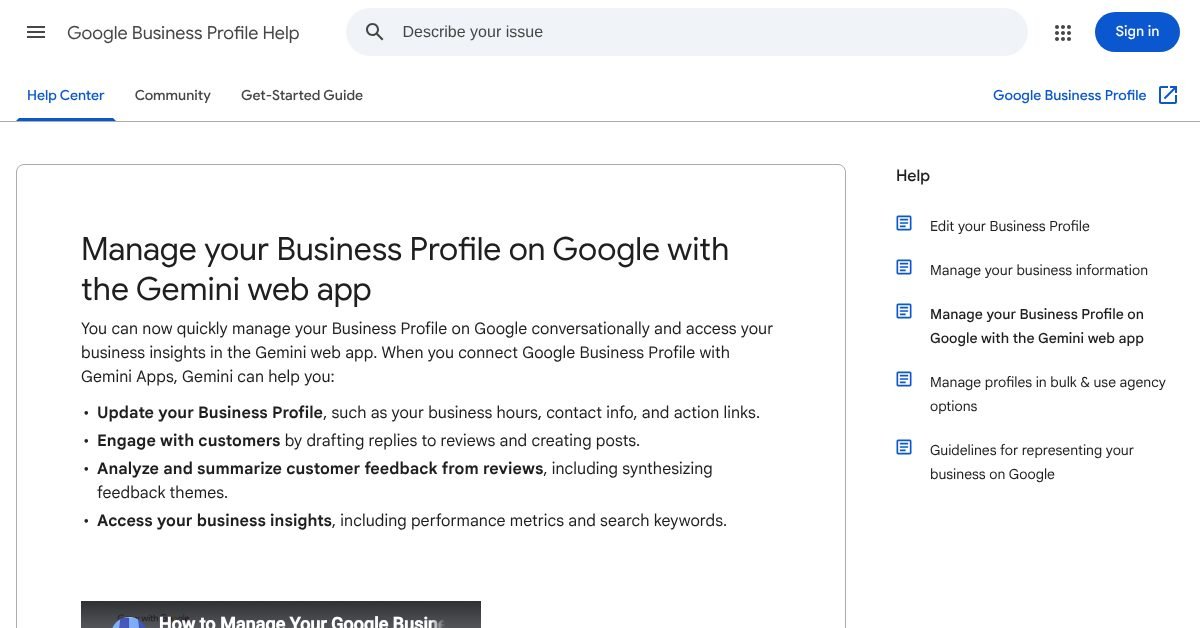
Google's help page lists four jobs. In plain terms:
- Edit your listing: hours (including special hours), contact info, action links, photos and attributes, plus menus for food businesses.
- Handle reviews: summarize feedback and draft or delete replies, and create, schedule or publish posts for updates, offers and events.
- Read your numbers: impressions, website clicks, direction requests, bookings and the search words people used to find you.
- Keep a business notebook (optional): a workspace that, per Search Engine Journal, shows alerts such as unanswered questions or missing holiday hours.
The best use for most owners is the boring one. Ask it what your holiday hours say right now, then fix them. Separately, the hours editor has a "Generate hours" box where you type a schedule in plain words and review what it builds, though only in select regions and languages.
What does it cost, and does it work in Canada?
The help page lists no price and no usage limit, so don't assume either way. It also doesn't name countries. It says the feature is available wherever the Gemini web app is supported, so the simplest test is to try it.
| Requirement | What Google's help page says |
|---|---|
| Your role | Owner or manager of one verified profile |
| Your account | Personal Google Account, 18 or older. Work or school accounts aren't supported |
| Where | The Gemini web app at gemini.google.com only |
| Setting | Keep Activity must be turned on |
| More than one profile | Not available |
That last row matters to agencies and multi-location owners, and Search Engine Journal confirms that one login can't manage many client profiles this way.
What are the risks?
Replies written by Gemini go out under your business name, so each one needs checking before it posts. A review is a public conversation with a customer. An AI that sounds slightly off in front of an angry person costs you more than a late reply does.
Google's help page also doesn't say whether Gemini asks you to confirm before it edits your listing. Treat that as unknown. Wrong hours are the expensive mistake, because someone drives over to a locked door.
What we'd tell a client: use it for drafts and checks, never for publishing on its own. If you want a reply template that still sounds like a person, start with our post on responding to negative Google reviews.
How to try it safely this week
Allow 20 minutes, and start with questions that change nothing.
- Go to gemini.google.com and sign in with the same personal account you use for your Business Profile.
- Ask about your listing, adding "@Google Business Profile" to your prompt if Gemini doesn't pick it up. Gemini will offer to connect if it isn't linked yet.
- Start with a read-only question, like "What hours does my profile show for the holidays?"
- Ask for a draft reply to one review. Edit it, and post it yourself.
- Open your listing on Maps afterwards and check anything Gemini changed.
You can disconnect the app any time in your Connected Apps settings.
Next step
If you're comfortable with the steps above, go for it. A profile is only as good as where it sends people, though. If your website still shows last year's hours or the page you link to is slow and thin, no assistant fixes that. That's the part we do at Loud Launch: custom websites that match your listing, built and hosted for you. Book a free call and we'll look at your profile and site together. If your listing isn't showing up at all, start with why your business isn't on Google.
- Google Business Profile Help: Manage your Business Profile with the Gemini web app (read Nov 10, 2026)
- Search Engine Journal: Google's Gemini Business Profile tools and Workspace accounts (Nov 6, 2026)
- Search Engine Journal: Google adds Business Profile tools to the Gemini app (June 2026)
- Google Business Profile Help: Generate hours (read Nov 10, 2026)
Drafted with AI help from our notes and checked against the sources above.
This post is general information and our own take, not legal, financial or professional advice for your situation. Prices, features and survey results change, so check the linked sources before you act. Accurate as of November 10, 2026. See our terms.